
Workflow - Return Portal Pro
To better understand the integration requirements for using the Return Portal Pro, please review the workflows outlined below.
This section explains how to connect to the Seven Senders API when using Return Portal Pro together with the Seven Senders Delivery Service. It includes all required API workflows to support product catalogues, order items, and return creation in your return portal. The Return Portal Pro enables customers to select specific items from an order for return. To support this workflow, you must push product master data, order data, order items, and shipment information through the API. Once this data is available, the Return Portal Pro will automatically allow customers to create returns and generate return labels.
Before calling the API, you must be authorized and have access to your API token.
Step 1: Create Your Product Library
Before sending orders, you must upload your item master data so that products display correctly in the return portal.
-
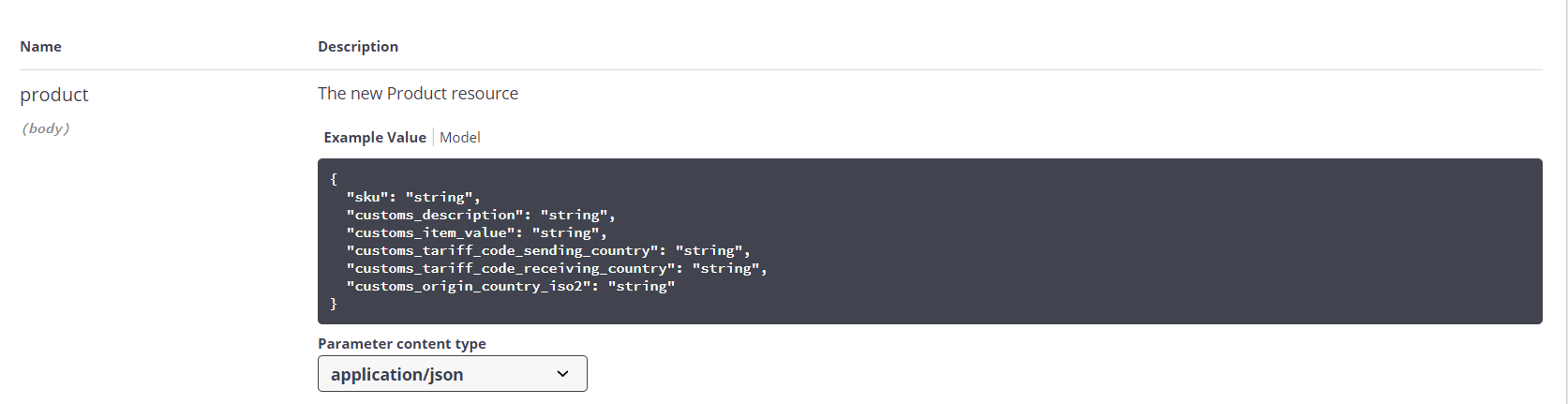
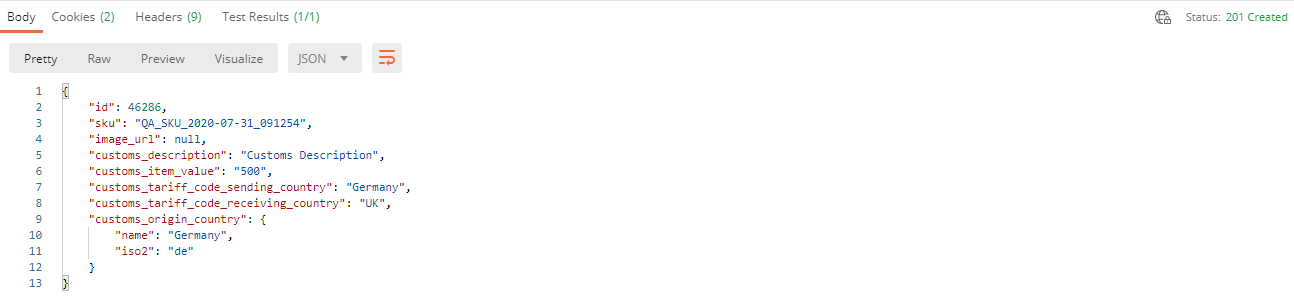
POST /Product: Create a product by supplying SKU, customs data (if applicable), and other attributes.
-
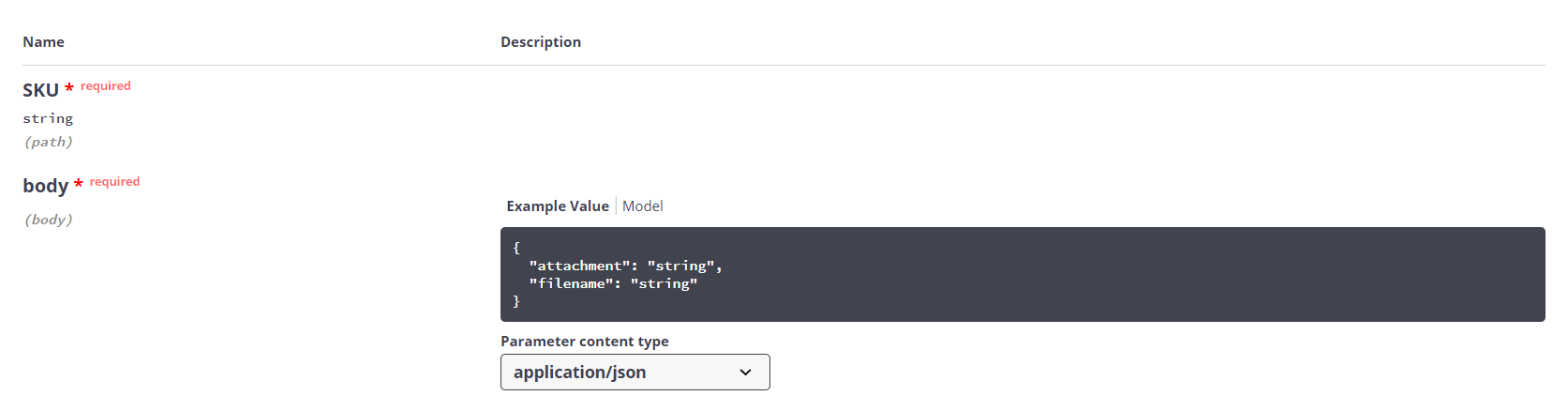
PUT /ProductImage: Upload the product image in Base64 format so it displays in the portal.
Step 2: Create an Order
Create an order using POST /Order. This represents the order your customer placed in your shop.
The order_id is required for log-in.
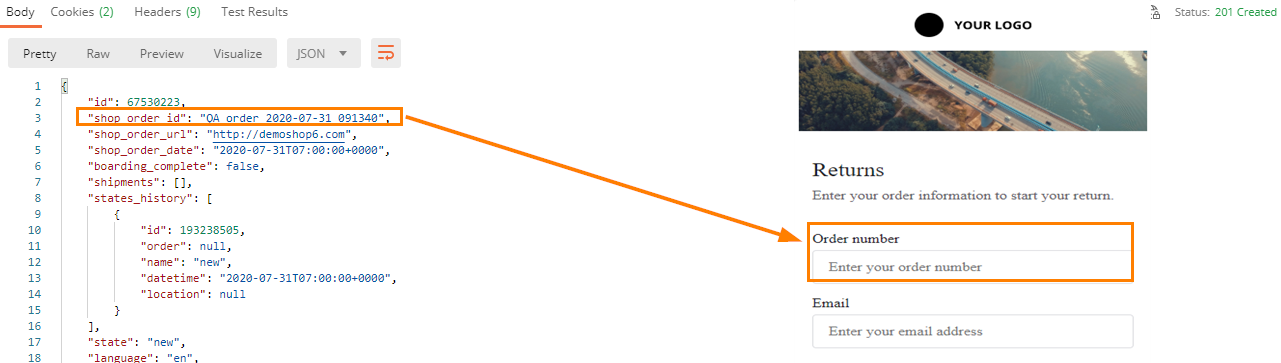
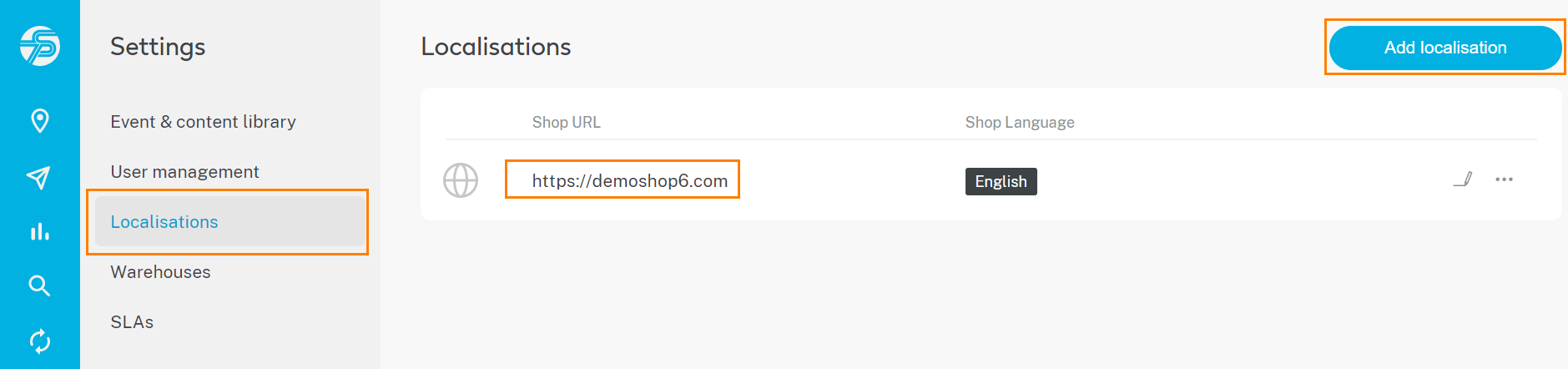
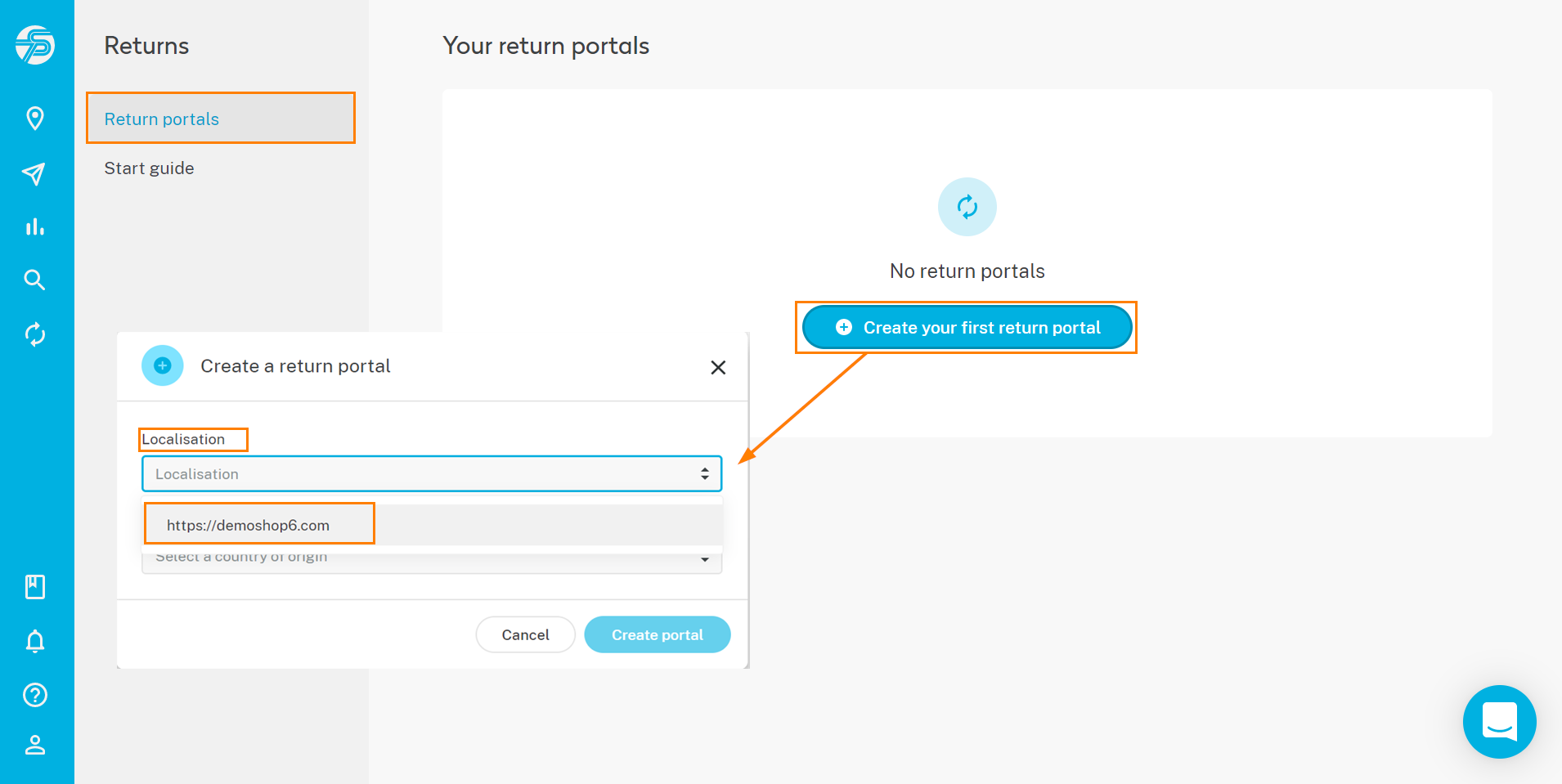
Optionally include order localisation (URL and language) for portal mapping.
Available Languages
- bg; cs; da; de; el; en; es; et; fi; fr; ga; hr; hu; it; lt; lv; mt; pl; pt; ro; ru; sk; sl; sv & uk
Parameter Reference
| Field | Type | Format / Example | Required | Description |
|---|---|---|---|---|
| order_id | string | "QA_order_2020_07_31_091340" | Yes | Unique order reference in your system. |
| order_url | string (URL) | "https://shop.example.com" | Recommended | URL of the shop where the order was placed. Used for localization mapping. |
| order_date | string | "2020-07-31T07:00:00+00:00" | Yes | Order creation timestamp in ISO-8601 format (UTC recommended). |
| boarding_complete | boolean | false | No | Indicates whether all shipments of a multi-parcel order have been imported. |
| language | array[string] | ["en"] | Recommended | Customer language or shop language. Required if email/SMS notifications are triggered. |
| order_tags | object | {"tag_1": "test"} | No | Custom tags or properties for order segmentation and filtering. |
| promised_delivery_date | string | "2020-08-05T07:00:00+00:00" | Recommended | Promised delivery timestamp communicated to the customer (ISO-8601). |
Example JSON Payload
{
  "order_id": "QA_order_2020_07_31_091340",
  "order_url": "https://shop.example.com",
  "order_date": "2020-07-31T07:00:00+00:00",
  "boarding_complete": false,
  "language": ["en"],
  "order_tags": {
    "tag_1": "test"
  },
  "promised_delivery_date": "2020-08-05T07:00:00+00:00"
}
Step 3: Create Order Items
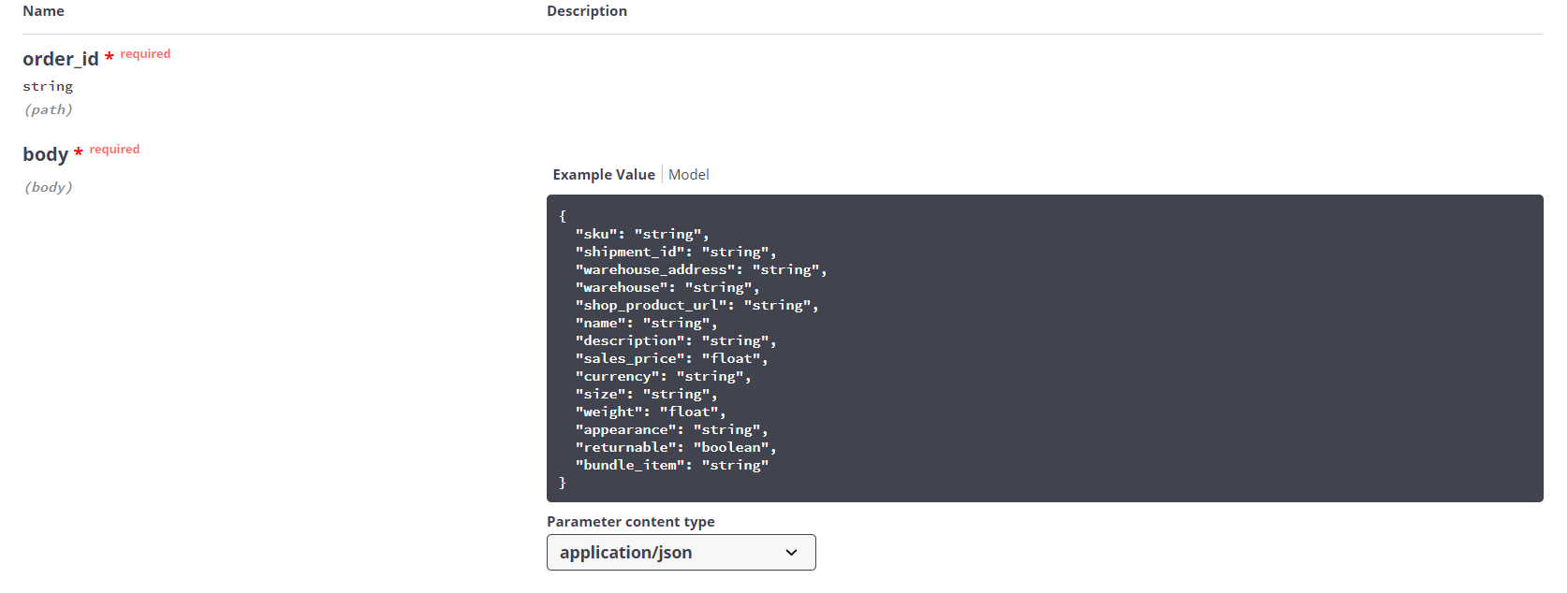
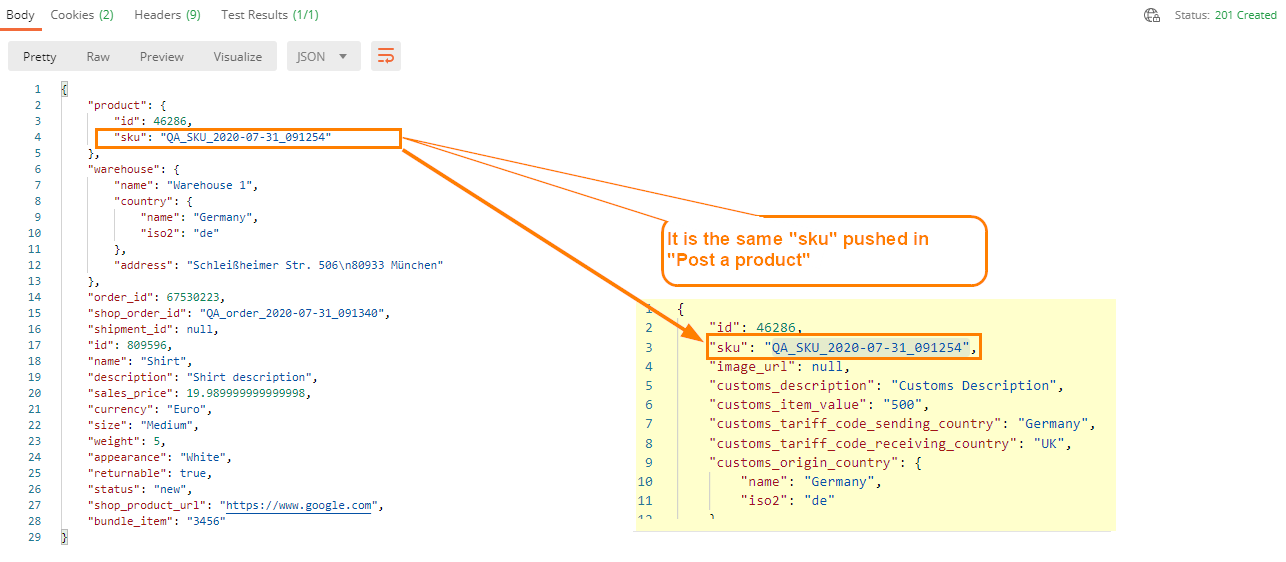
Send each item in the order using POST /OrderItem. This associates the item SKU and order with the customer’s order and drives the item-level return selection in the portal.
Parameter Reference
| Field | Type | Format / Example | Required | Used in Consumer Return Portal | Description |
|---|---|---|---|---|---|
| order_id | string | "QA_order_2020_07_31_091340" | Yes | Yes | Unique order reference used to associate the item with an order. |
| sku | string | "QA_SKU_2020-07-31_091254" | Yes | No | Unique product identifier (SKU). |
| shipment_id | string | "123456789" | No | No | Shipment identifier returned by the Create Shipment API. |
| warehouse_address | string | "Schleißheimer Str. 506\n80933 München" | No | No | Warehouse address handling the return. |
| warehouse | string | "Warehouse 1" | No | No | Warehouse name. |
| shop_product_url | string (URL) | "https://www.sevensenders.com" | No | No | URL to redirect the consumer to the original product page. |
| name | string | "Shirt" | Yes | Yes | Product name displayed in the return portal (language-specific). |
| description | string | "Shirt description" | Yes | Yes | Short product description shown in the portal (language-specific). |
| sales_price | number (float) | 19.99 | Yes | Yes | Sales price paid by the customer. |
| currency | string (ISO 4217) | "EUR" | Yes | Yes | Currency code of the sales price. |
| size | string | "Medium" | Yes | Yes | Product size. |
| weight | number (float) | 5.0 | Yes | No | Weight in kilograms. |
| appearance | string | "White" | No | No | Attribute describing the appearance (e.g., color). |
| returnable | boolean | true | Yes | Yes | Indicates whether the item can be selected for return. |
| bundle_item | string | "3456" | No | No | Identifier grouping multiple items into a return bundle. All items in the bundle must be returned together. |
Example JSON Payload
{
  "order_id": "QA_order_2020_07_31_091340",
  "sku": "QA_SKU_2020-07-31_091254",
  "shipment_id": "123456789",
  "warehouse_address": "Schleißheimer Str. 506\n80933 München",
  "warehouse": "Warehouse 1",
  "shop_product_url": "https://www.sevensenders.com",
  "name": "Shirt",
  "description": "Shirt description",
  "sales_price": 19.99,
  "currency": "EUR",
  "size": "Medium",
  "weight": 5.0,
  "appearance": "White",
  "returnable": true,
  "bundle_item": "3456"
}
Step 4: Create a Shipment
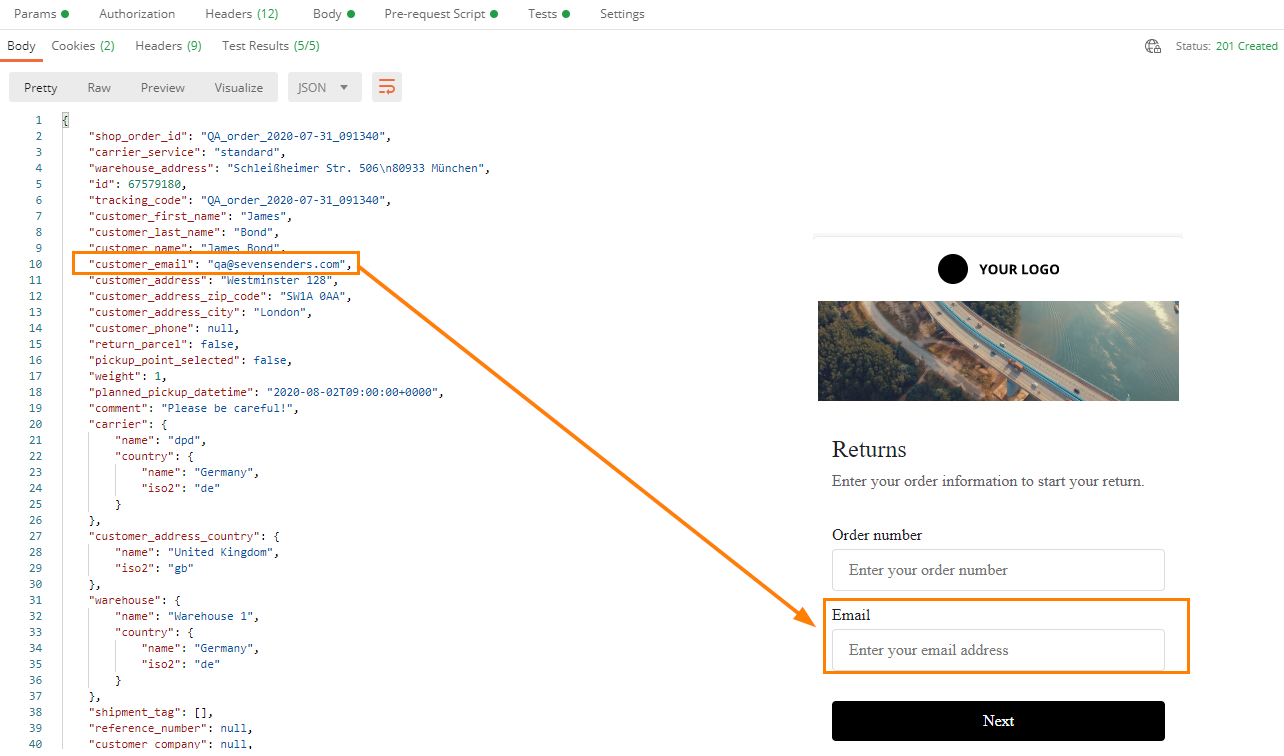
Once order items are created, send the related shipment using POST /Shipment. The tracking_code and customer_email fields are required, order_id links the shipment to the order.
Step 5: Update Order Items With Shipment ID (Optional)
You can link order items to the shipment record used for delivery. This step helps ensure data completeness but is not strictly required for the return portal to function (PUT /OrderItem).
Step 6: Push Shipment Events
To track the return process end-to-end, send shipment events via POST /ShipmentEvent. Recommended events:
- Refunded – when the refund has been issued
- Returned to warehouse – when the return parcel has arrived at the final warehouse destination
Updated 2 days ago