
⚡ ↩️ Adhoc Returns
With our Adhoc Return functionality, your customer service can generate return labels on demand without requiring a full return portal flow. This functionality is ideal for customer support teams that need to quickly create a return shipment in exceptional cases. It allows you to react flexibly while maintaining standardized processes and carrier connectivity.
As part of the Parcel Finder within the Seven Senders Portal, you can use the Adhoc Return functionality to generate return labels on demand.
To create a return label for a customer:
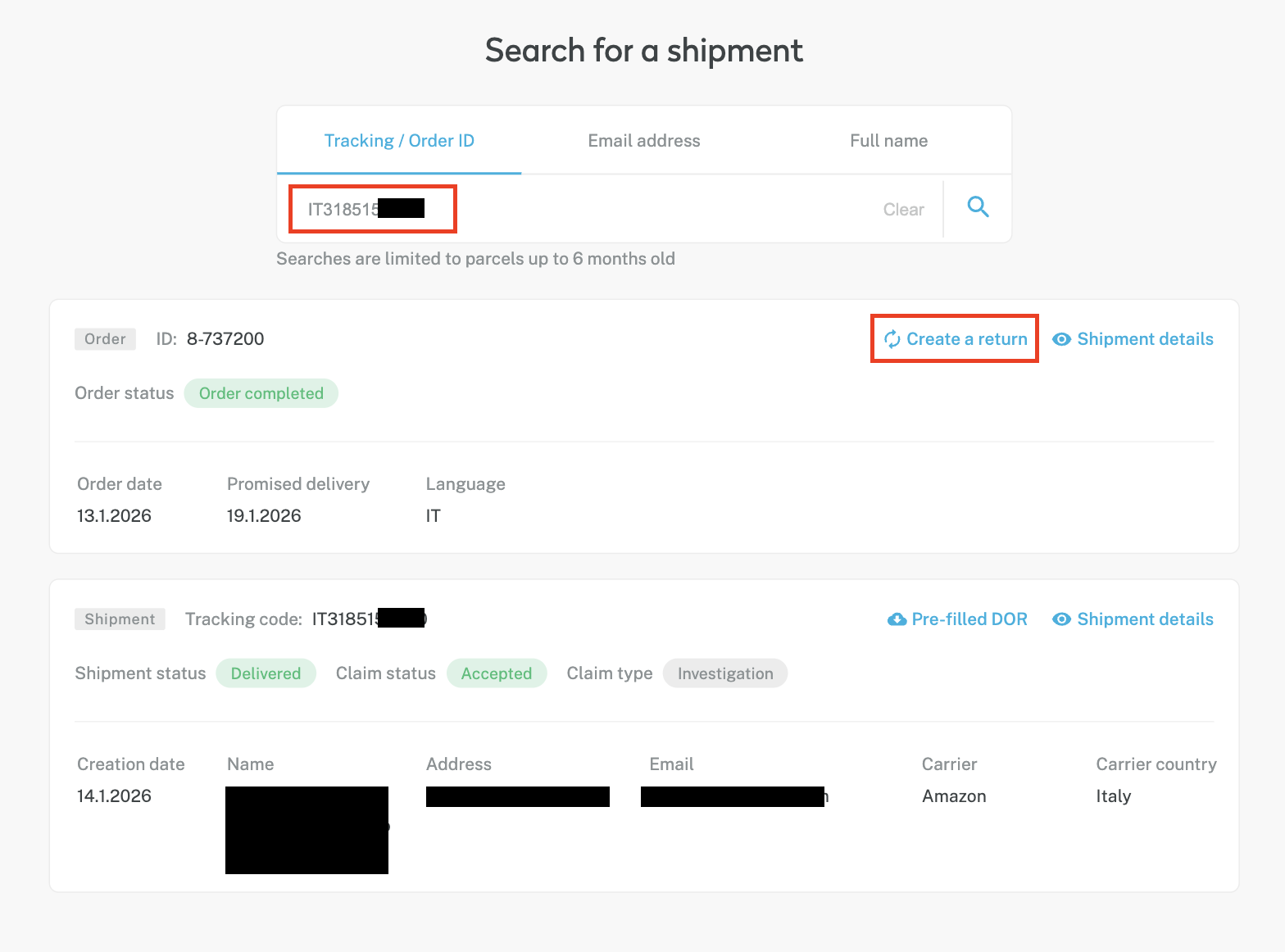
- Search for the shipment using either the Tracking Number or the Order ID.
- Select the relevant shipment from the search results.
- Click “Create a Return” (see screenshot 1).
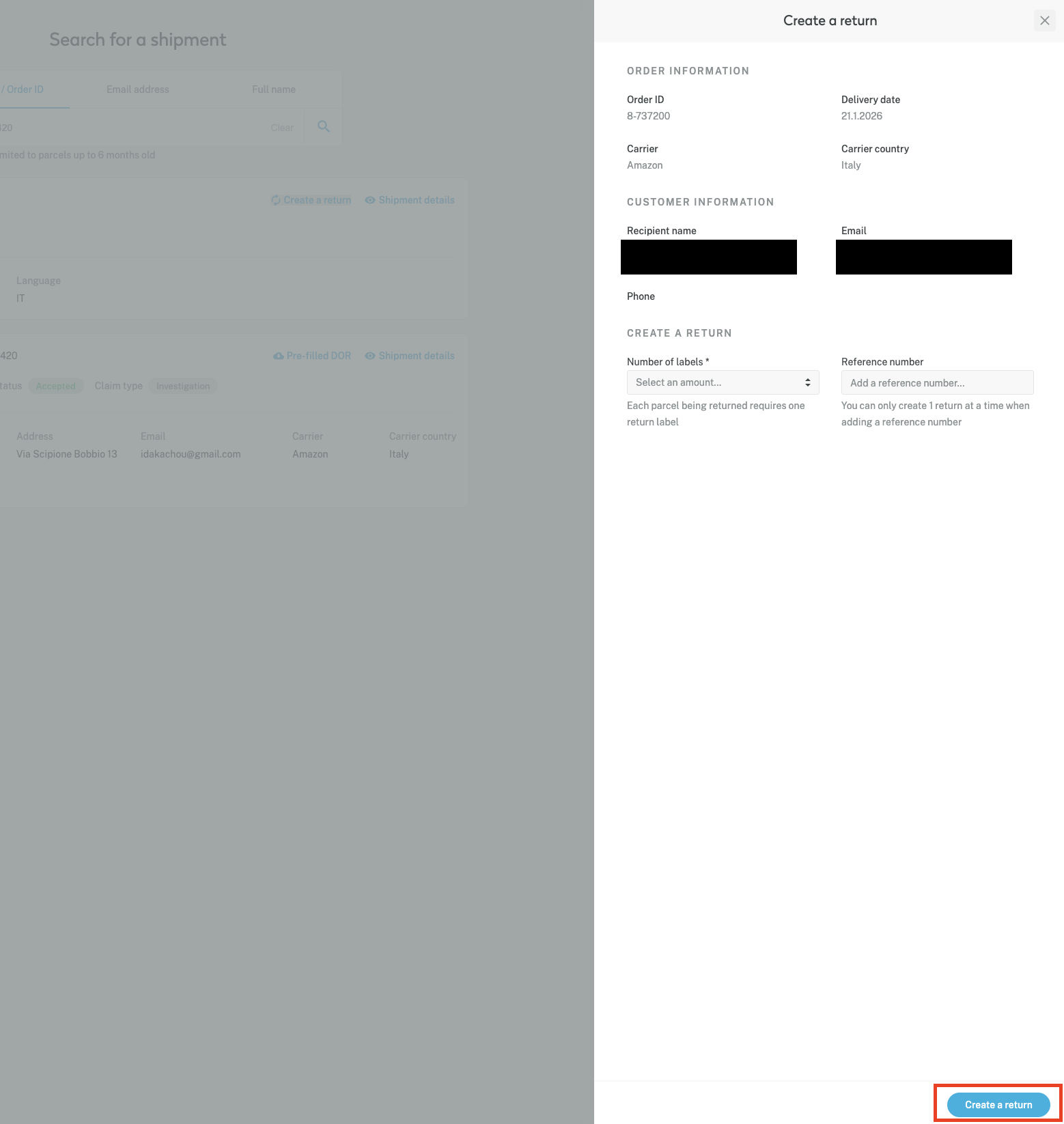
- As a final step, you will be prompted to specify the number of return labels required and, if applicable, define a reference to be printed on the label. Confirm your selection by clicking “Create a Return” (see screenshot 2).
Once the return has been created, a return label is generated automatically and provided as a PDF file, ready for download and sharing with the customer.
Updated 1 day ago